Volume Control Panel
Volume Control Panel for Android with full widgets and Graphic EQ.
Replace Android's stock volume panel with flexible sliders, full home-screen volume widgets, a 5-band Graphic EQ service, audio profiles, stream locking, media controls, Theme Wizard, panel textures, shortcuts and one-handed controls.
Watch it in use
See the panel, widgets and themes moving together.
The demo gives a faster feel for the app than a long feature list: the custom panel, launcher entry points, theme work and Android volume controls all stay part of one workflow.
Choose your version
Start free, or go Pro from day one.
Choose Volume Control Panel with optional Pro unlock, or the separate paid Volume Control Panel Pro app.

Volume Control Panel
Free to install, supported by ads, with optional Pro unlock. Build a custom Android volume panel with flexible sliders, widgets, shortcuts, audio tools, profiles and themes.
Volume Control Panel Pro
Premium direct-purchase version with no ads, no unlock prompts and full Pro access from day one. Best for users who prefer a one-off paid app.
Real Play Store artwork
The screenshots now do some of the explaining.
These images are the same style of promo material used for Google Play, so the website feels closer to the store listing and gives visitors something useful to scan before they read the details.

Why users install it
A better Android volume panel for big phones, busy days, better audio and worn buttons.
Custom volume slider
Replace Android's default volume slider with a larger, sharper and more flexible volume control panel.
All streams in reach
Control media, ring, notification where supported, call and alarm, with audio output and Bluetooth audio shortcuts where supported.
5-band Graphic EQ
Tune bass, low mid, mid, high mid and treble, plus gain, presets and custom profiles on compatible devices.
Per-app volume profiles
Save app-specific volume preferences so selected games, players and apps can start closer to the levels you expect.
Long press stream locking
Lock individual volume streams with a long press to help prevent accidental volume changes.
Built for your thumb
Choose slider direction, panel size, position, timeout, handedness, animation speed and vibration strength.
Open it your way
Use volume buttons, a floating trigger, launcher shortcuts, Quick Settings tiles or the app preview.
More than volume
Keep media controls, brightness control, ring modes, mute actions, alarms, audio output shortcuts and Bluetooth audio shortcuts close by where supported.
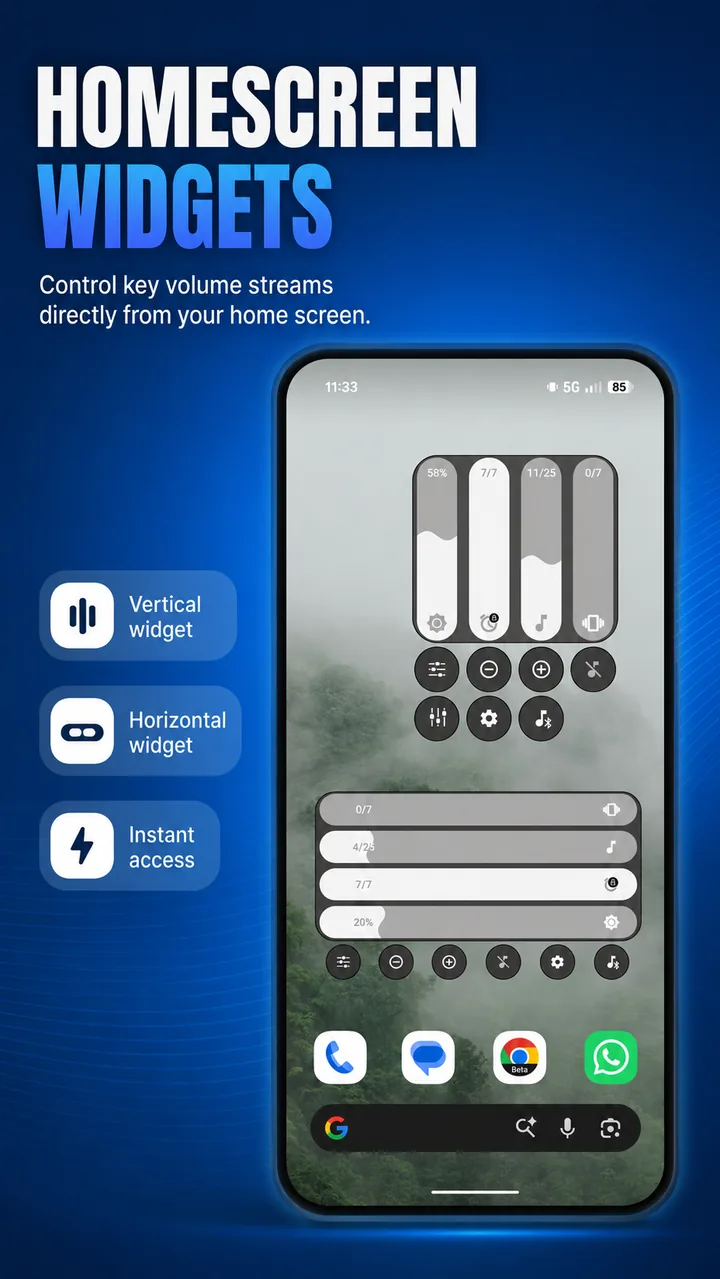
Home-screen volume widgets
Full volume controls without opening the panel.
Add a panel-styled Android volume widget to your home screen and keep the controls you use most within easy reach.
Horizontal volume widget
A wide, panel-styled controller that mirrors the look and core controls of your Volume Control Panel setup.
Vertical volume widget
A tall layout with larger controls for side spaces, one-handed access and home screens that suit a vertical design.
Reliable tap controls
Dedicated tap regions make home-screen volume changes dependable within Android's widget system.
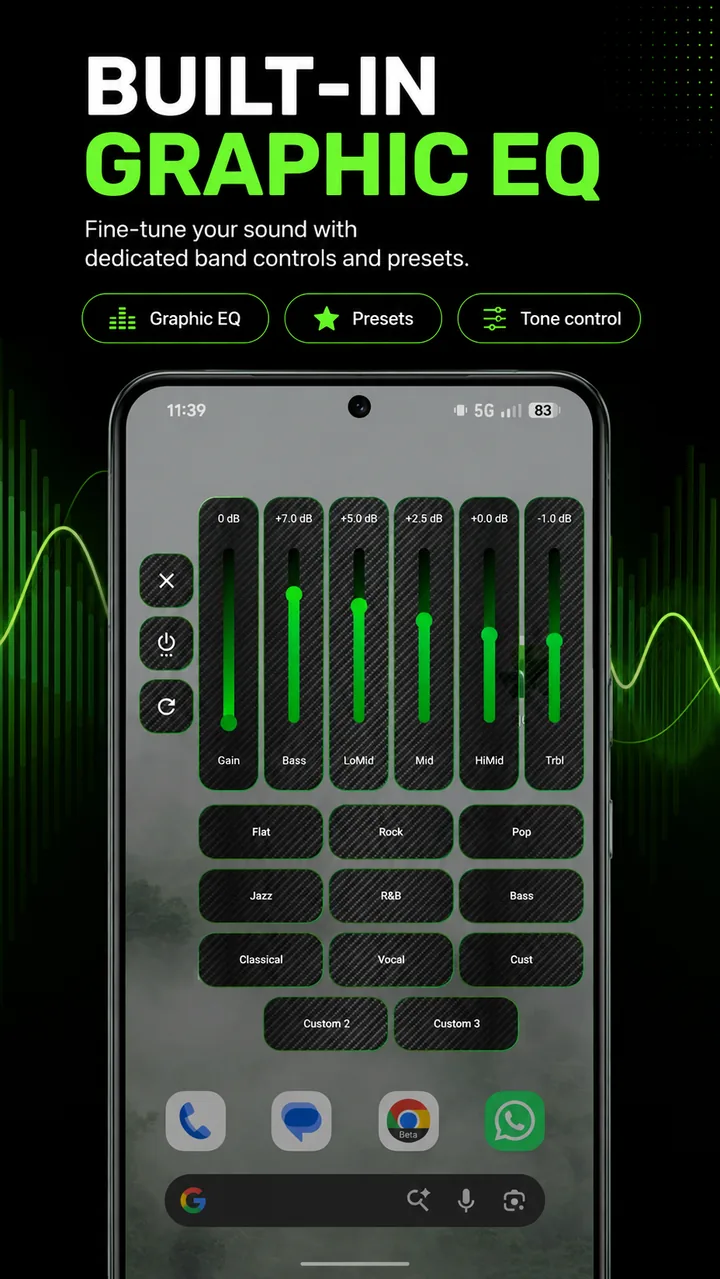
Graphic EQ service
A proper 5-band equalizer inside your volume workflow.
Shape active media with a persistent Graphic EQ service when Android and your device expose a compatible audio session.
Five useful frequency bands
Adjust Bass, Low Mid, Mid, High Mid and Treble from a clear panel designed for quick changes.
Gain and EQ presets
Start with Flat, Rock, Pop, Jazz, R&B, Bass, Classical or Vocal, then fine-tune the sound and gain.
Three custom profiles
Save your own EQ setups, switch between them quickly and turn the service off without losing your settings.
Theme Wizard and Theme Studio
Your volume panel should match the way you use Android.
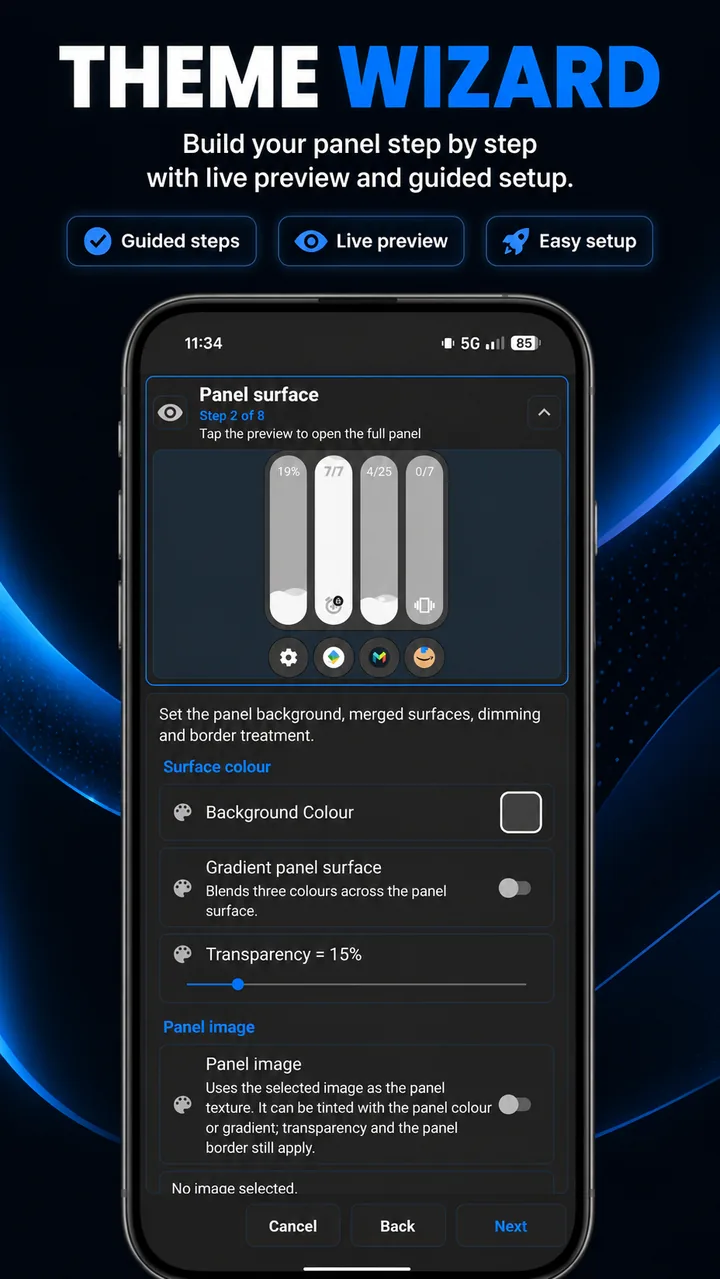
Use the guided Theme Wizard for a fast setup with live preview, then refine every detail in Theme Studio.
Guided Theme Wizard
Build a coherent design step by step and see the result in a live preview before applying it.
Images, textures and colour
Choose panel surface images from the included library or your device, then adjust tint, scale and position alongside colours, gradients and RGB effects.
Precise slider styling
Fine-tune slider and thumb scale, icon and text density, panel sizing, layouts and other details, or import community presets.
Android guides
Volume control, accessibility and Android security explained plainly.
Helpful articles around the Android behaviour that matters for custom volume panels, broken buttons, EQ tools and accessibility-powered controls.
Advanced Protection and the Accessibility Tools Requirement
The possible impact on volume apps, button mapper apps and other useful accessibility-powered Android utilities.
Android Accessibility, Volume Controls and Privacy
Why accessibility is sensitive, why Volume Control Panel uses it, and what the app does not collect or send.
Android Volume Buttons Not Working?
Software volume controls, widgets, Quick Settings tiles and floating triggers for worn or awkward hardware buttons.
Android Equalizers, Volume Boost and Graphic EQ
What Android EQ apps can realistically control, including audio sessions, gain, presets and compatibility limits.
Real-world wins
Less stock Android awkwardness. More control.
Use Volume Control Panel when the default Android volume control feels too small, too limited or too slow for everyday use.
Button rescue
Helpful when physical volume buttons are worn, damaged or awkward, thanks to the floating trigger and shortcuts.
Quick access everywhere
Add volume actions to Android Quick Settings, launcher shortcuts and the floating trigger so controls are always close.
Media and brightness
Adjust media playback and screen brightness from the same custom control panel you use for volume.
What users say
The tiny upgrade people end up keeping.
"You don't realise how much you want it until you try it."
Google Play review"Loads of customization and great features."
AppBrain review snapshot"Works well and customization is limitless!"
Google Play review"Great app, nice and convenient panel."
Google Play review"Fantastic app."
AppBrain review snapshot"It's just better."
AppBrain review snapshot
Common questions
Quick answers before you install.
What does Volume Control Panel do?
It replaces the stock Android volume dialog with flexible sliders, media and brightness controls, shortcuts, profiles, stream locking, home-screen widgets and custom themes.
Can I lock individual volume streams?
Yes. Long press a volume stream to lock it and help prevent accidental changes.
Does Volume Control Panel include a Graphic EQ?
Yes. The 5-band Graphic EQ service includes gain, built-in presets and three custom profiles, and follows compatible active media sessions where supported.
Does Volume Control Panel have home-screen volume widgets?
Yes. Horizontal and vertical panel-styled widgets put core volume controls on your Android home screen.
Can Volume Control Panel use per-app volume profiles?
Yes. Per-app volume profiles can help selected apps open with your preferred volume setup.
Does Volume Control Panel support themes and presets?
Yes. Use the guided Theme Wizard, live preview, panel surface images, textures, colour controls and shared community presets.
Why does Volume Control Panel use accessibility?
Accessibility-powered features are used only for volume key detection, overlays, trigger interaction and panel behaviour. Accessibility is not used to read, collect, store or send personal information.