
Volume Control Panel
Custom Android volume control with flexible sliders, full home-screen widgets, a 5-band Graphic EQ, audio profiles, stream locking, media controls, Theme Wizard and shortcuts.
Apps
Explore practical Android tools from LeeDrOiD Labs, including Volume Control Panel with home-screen widgets, a 5-band Graphic EQ and Theme Wizard, plus Quick Reminders with natural language scheduling.

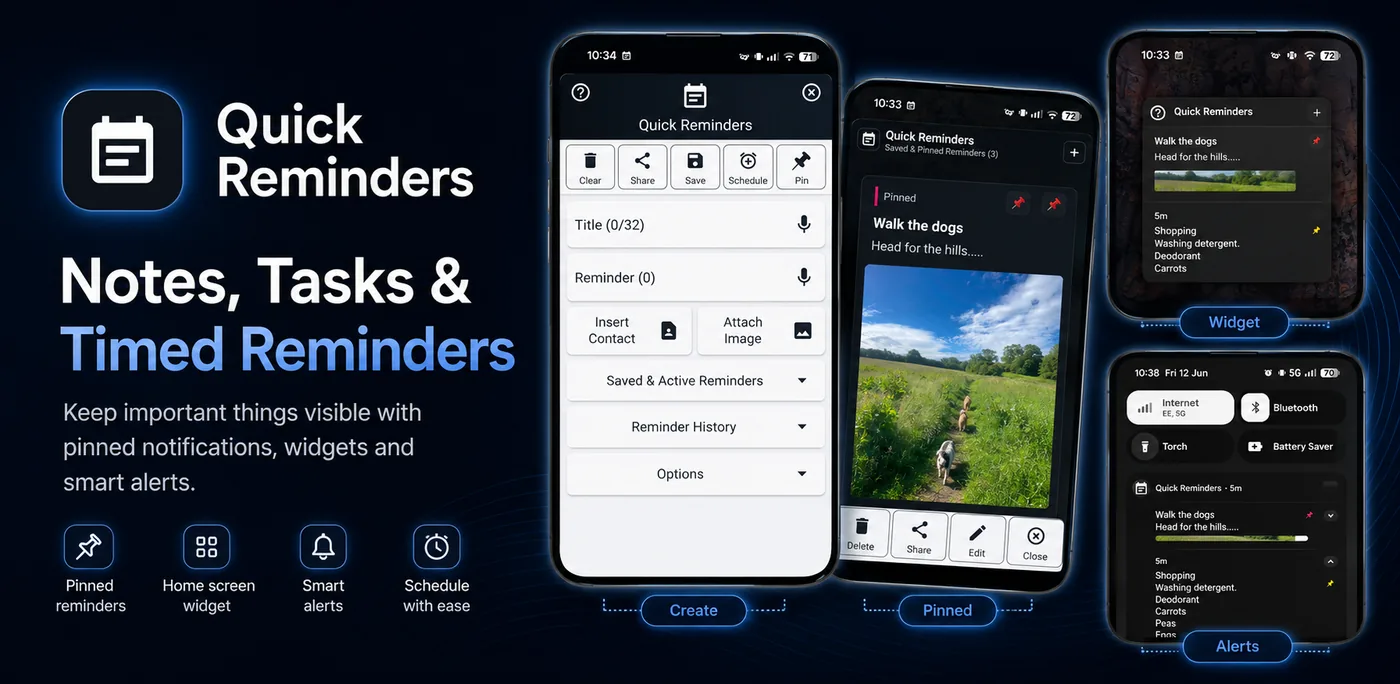
Volume control, reminders, shortcuts and practical utilities shaped by years of Android tinkering.
Custom Android volume control with flexible sliders, full home-screen widgets, a 5-band Graphic EQ, audio profiles, stream locking, media controls, Theme Wizard and shortcuts.
Notes, tasks, reminders, images and links pinned or scheduled as useful Android notifications, with natural language scheduling for quicker capture.
Premium direct-purchase version of Volume Control Panel with no ads, no Pro unlock prompts and full Pro access from day one.
Plain-language notes on Advanced Protection, accessibility, background service killing, exact alarms, Android reminders and Graphic EQ support.
The possible impact on volume apps, button mapper apps, automation tools and the people who rely on accessibility-powered utilities.
Why some devices delay reminders or stop services, with Don’t Kill My App style checks.
The focus is practical control: fewer taps, faster access and features that earn their place on your phone.
Options are there when you want them, from custom volume controls, EQ tools and Theme Studio to reminders, shortcuts and layouts.
Support pages, community links and Google Play listings make it easy to find help, updates and design ideas.