Quick Reminders & To Do
Android reminders with natural language scheduling.
Pin notes, tasks, images, links, recurring reminders and natural language schedules as persistent Android notifications. A reminder app that lives in your notification shade, not buried inside another to-do list.
Built for scanning
Reminder capture that stays visible.
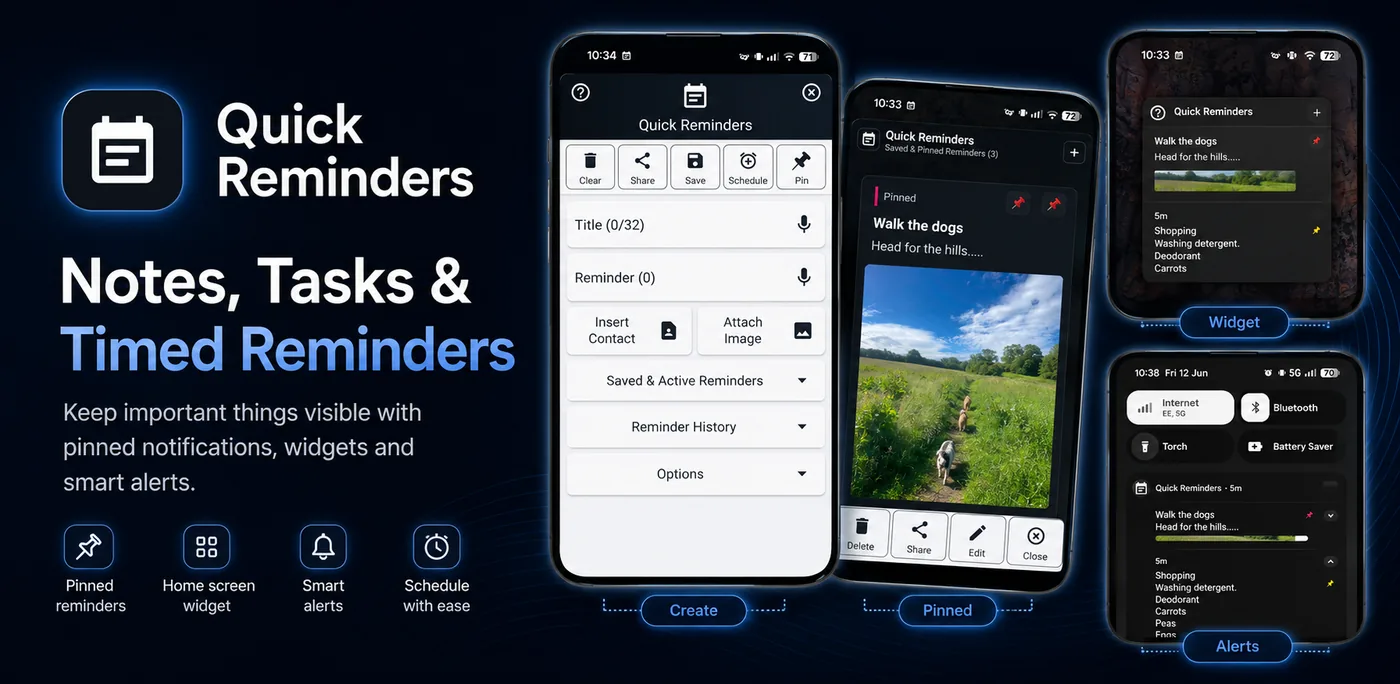
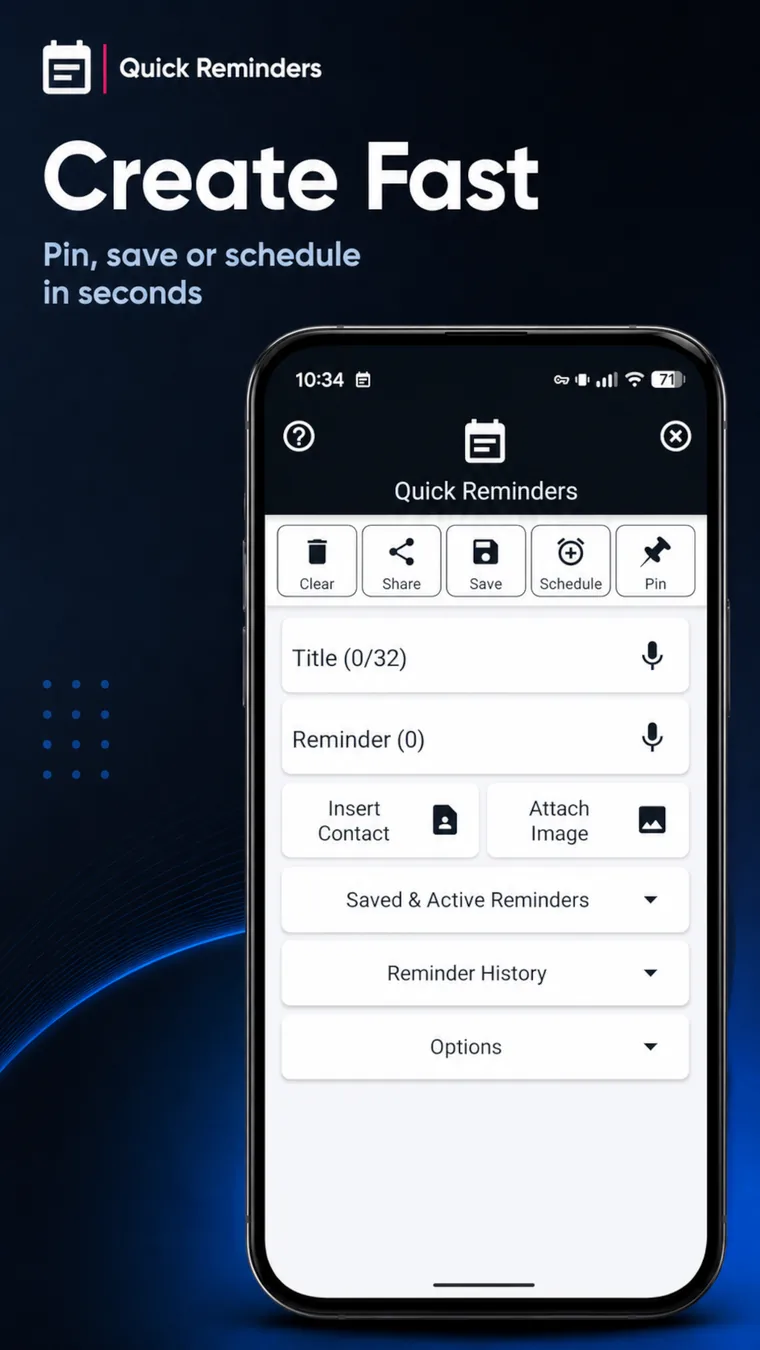
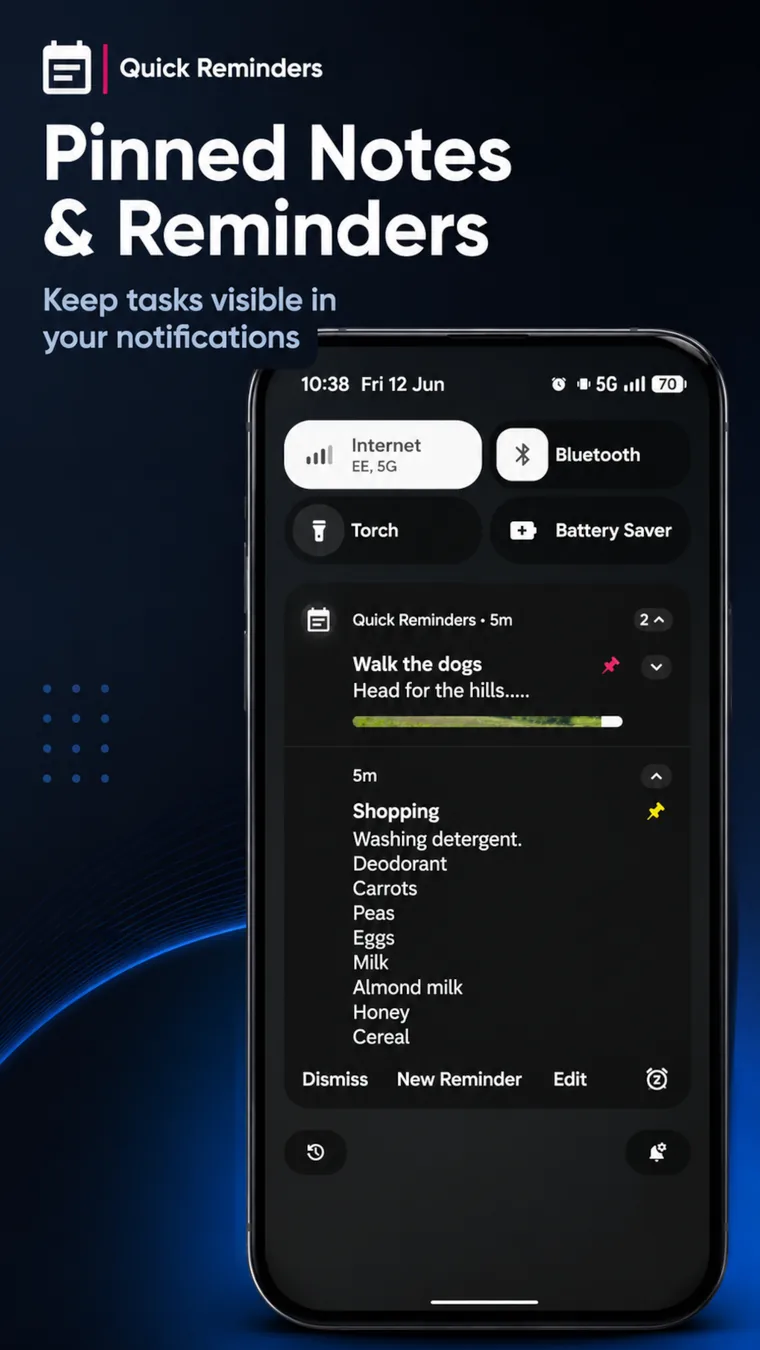
The Play promo images show the idea quickly: create a reminder, keep it in view, and use Android notifications for notes you do not want to miss.

Notification-first reminders
A practical reminder app for things you need to see.
Quick Reminders turns your Android notification shade into a lightweight space for notes, tasks, natural language schedules, appointments, links, image prompts and repeated routines.
Natural language scheduling
Create reminders from everyday phrases, then let the app turn them into scheduled Android notifications.
Pinned notification notes
Create notes and task reminders that stay visible in your notification shade and lock screen until you are done with them.
Timed reminder notifications
Schedule reminders for a specific date and time, including appointments, one-off tasks, shopping prompts and follow-ups.
Recurring reminders
Repeat reminders every minute, hour, day, week, month or year for regular routines and tasks you do not want to miss.
Image reminders
Add images, screenshots or visual prompts to reminders so the notification shows more than plain text.
Clickable links and contacts
Use web links, email addresses and phone contacts directly from a notification when a reminder also needs to be an action.
Templates and sharing
Save reusable note templates, share text or images into the app, and share reminder content back out when needed.
Reminder history
Review saved reminder details and bring useful reminder content back when you need to reuse it.
Use cases
Fast reminders for messy real life.
Quick notes
Pin a note before you forget it, then keep it in your pull-down until it has done its job.
Natural schedules
Capture reminders in plain language when date pickers would slow you down.
Shopping and tasks
Keep a short list visible without opening a full notes app, calendar app or heavy to-do system.
Work prompts
Use persistent task notifications for callbacks, web links, contact details, screenshots and follow-up reminders.
Android guides
Reminder reliability, natural language scheduling and battery settings.
Helpful posts about the Android behaviour behind timed reminders, notification-first tasks and background scheduling.
Why Android Reminders Can Be Late
Doze, App Standby, exact alarm access and notification permission explained for reminder apps.
Natural Language Reminders on Android
Why everyday phrases make reminder capture faster without turning every task into a project.
Android Background Service Killing
Battery optimisation and Don’t Kill My App style checks for devices that stop reminders in the background.
Android 16 Changes That Matter for Utility Apps
Large screens, scheduling changes and security behaviour that can affect small Android utilities.
Why it is different
Less list management. More visible reminders.
Most to-do apps expect you to open them. Quick Reminders is built around Android notifications, so the reminder stays visible through the day.
Visible by design
Persistent notifications help important notes and tasks stay in sight instead of disappearing into another app drawer icon.
Lightweight workflow
Create, edit, dismiss, repeat and reuse reminders without turning every small task into a project.
Useful Android shortcuts
Access reminders from notifications, sharing flows and Android Quick Settings so capture stays quick.
FAQ
Quick Reminders questions.
Is Quick Reminders a to-do list app?
It can be used for tasks and to-do notes, but its strongest feature is notification-first reminders that stay visible.
Can it understand natural language?
Yes. You can use everyday scheduling phrases to create reminder times more quickly.
Can reminders survive reboot?
Quick Reminders is designed to keep persistent reminders and scheduled notifications reliable across normal Android use.
Does it collect my notes?
Your reminders, notes, tasks and images are designed to stay on your device. The app does not need a cloud account for ordinary use.