Quick answer
- Android equalizers attach to audio sessions when the device and player expose compatible audio effect support.
- Session 0 global audio effects are deprecated, so apps should avoid promising perfect system-wide EQ.
- Boost and gain can help quiet audio, but too much can distort, clip or sound worse.
- A good EQ should clean up after itself and fall back safely when support is unavailable.
Searches for "Android volume boost", "Android equalizer" and "best Graphic EQ for Android" usually come from a real annoyance. A podcast is too quiet. Bluetooth earbuds sound thin. A phone speaker has no warmth. Or the music app has buried its EQ settings three menus deep.
A built-in Graphic EQ inside a custom volume panel can be useful, but Android audio has boundaries worth understanding.
Equalizers work through Android audio effects
Android provides audio effect APIs such as Equalizer, BassBoost, LoudnessEnhancer and DynamicsProcessing. These effects attach to audio sessions created by players such as MediaPlayer, AudioTrack or app-specific playback engines. If the app can find a compatible active session, and the device supports the effect, EQ controls can shape the sound for that session.
That is why serious EQ apps talk about compatibility. Android devices differ, media apps differ, and some playback routes handle audio away from the normal local output path.
Why global EQ claims are risky
Older Android audio examples often mention attaching an effect to session 0, the global output mix. Android's own documentation now warns that attaching insert effects such as equalizer, bass boost and virtualizer to that global mix is deprecated. That matters for any app claiming universal system-wide EQ.
A more honest approach is to follow active media where possible, apply effects when Android allows it, and keep ordinary volume control working when EQ support is not available. Users do not want a volume app to become unreliable because an audio effect could not attach. The extra feature should fail quietly and safely.
What a 5-band Graphic EQ gives you
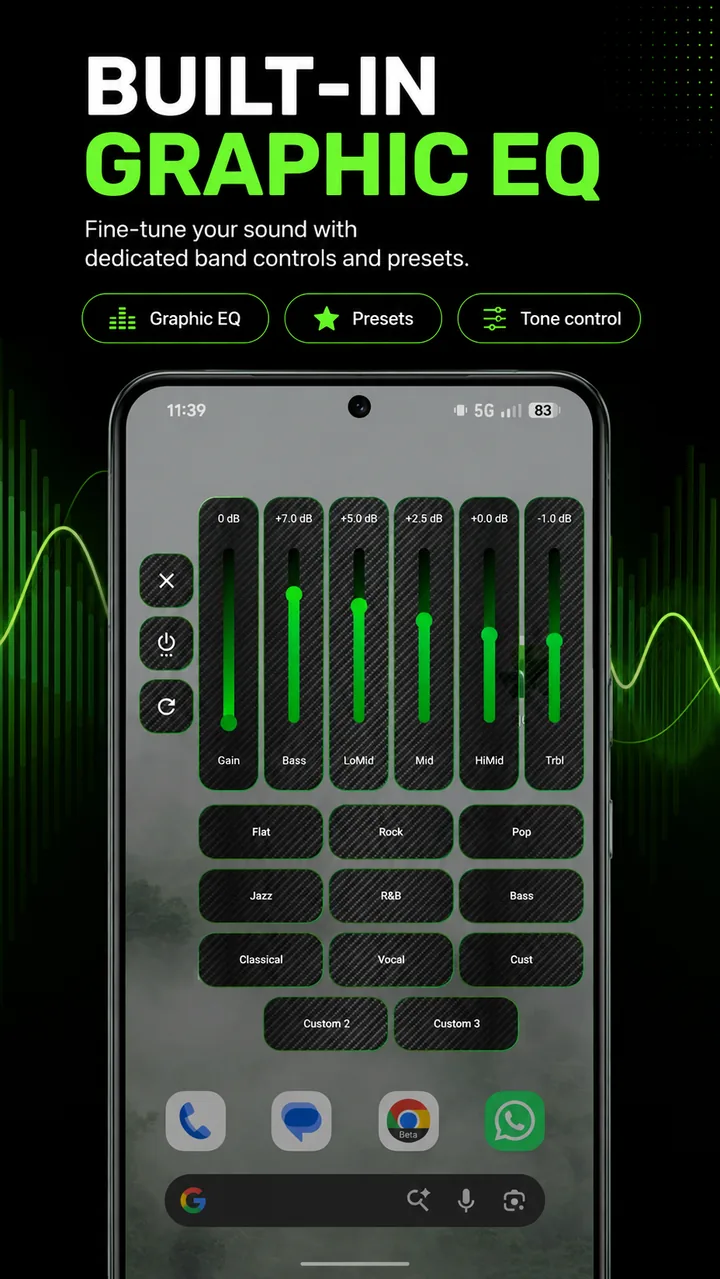
A 5-band Graphic EQ gives broad control over low, low-mid, mid, high-mid and high frequency areas. It is not a mastering studio, but it is enough for normal phone listening: soften harsh treble, add a little bass, lift voices, make podcasts clearer or save a few presets for different headphones.
Presets such as Flat, Rock, Pop, Jazz, Bass, Classical and Vocal are useful starting points. Starting points is the important bit. Every phone speaker, earbud set, car connection and streaming app can sound different, so manual adjustment still needs to be close by.
Volume boost is not the same as better sound
Boosting audio can help when the source is quiet, but it has a cost. Push gain too far and you can get clipping, harshness, pumping or speaker strain. On small phone speakers, extra gain can just turn limited hardware into louder limited hardware.
The safest experience is controlled gain, visible EQ state, quick reset and clear off switches. A boost control should feel useful, not risky. It should never make normal volume control unreliable.
Compatibility is part of the feature
Audio effects can fail to initialise, be unavailable on a route, lose control, or become stale when a media session closes. A good Android EQ implementation needs lifecycle care: create effects only when needed, release them when sessions end, avoid stale sessions and recover cleanly when playback changes.
For the user, that technical work should feel calm and predictable: no crackles, no stuck boost, no broken media slider and no confusing mismatch between the EQ switch and the sound coming out of the device.
How Volume Control Panel fits in
Volume Control Panel includes a 5-band Graphic EQ service with gain, built-in presets and custom profile slots on compatible devices. It is an audio tool beside the custom volume panel, not a promise to bypass every Android audio route or third-party player limitation.
Bottom line
An Android equalizer is best when it is practical and honest. It should improve the sound where Android exposes compatible audio effect support, keep the controls easy to reach, and leave normal volume behaviour stable when EQ support is unavailable.